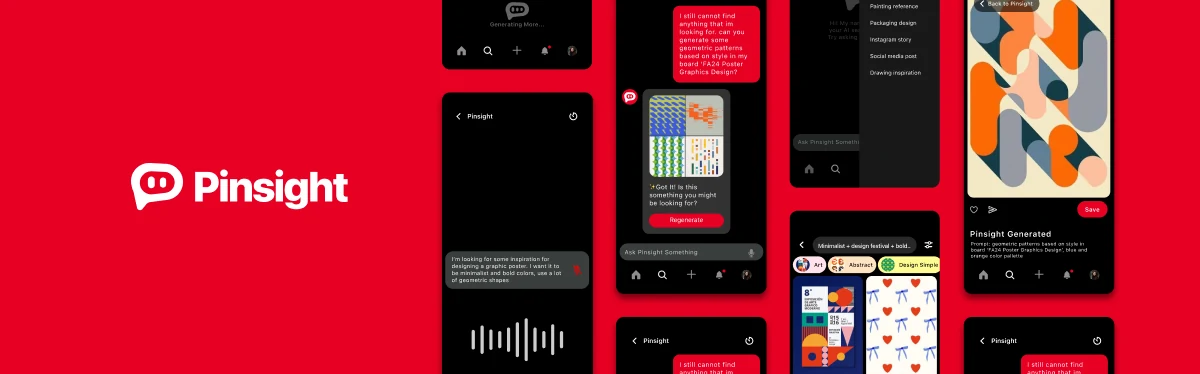
Searching Smarter: AI-Powered Search Assistant
Pinsight is an AI-powered search tool that takes voice or text input, offering real-time suggestions and clarifications, making Pinterest search more intuitive and personalized.
Context
Context
Why Pinterest?
As an artist, Pinterest is one of my go-to platforms for finding inspiration and reference material for art projects. It’s where I, along with countless other artists and designers, go to explore ideas, collect useful content, and keep track of visual inspiration. However, the platform often falls short in helping us achieve this.
Key challenges:

Irrelevant Search Results
Translating abstract creative ideas into words is already tough.

Lack of Contextual Images
Users must dig through endless irrelevant pins to find something useful.

Hidden Public Boards
Well-curated public boards are useful, but they’re often buried.
Final designs
Final designs
Conversation Chat Interface
How it works:
- Users can either type or speak their query, for example, “I’m looking for mood board ideas with warm tones and minimalist styles.”
- Pinsight analyzes the input, asks clarifying questions if needed, and provides curated results.
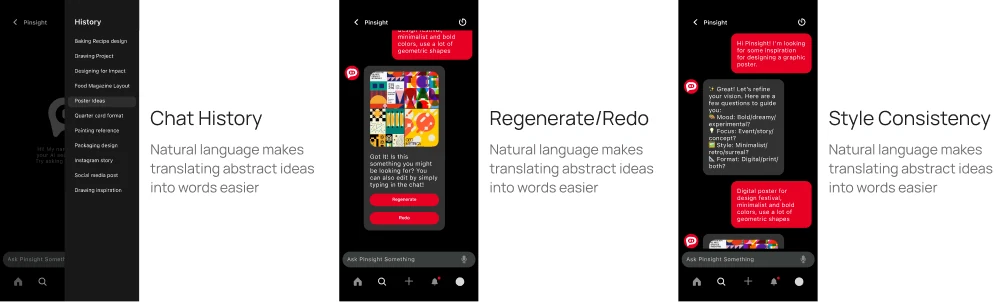
- The bot integrates with search filters, allowing users to adjust parameters mid-conversation.
Final designs
Voice & Natural Language Input
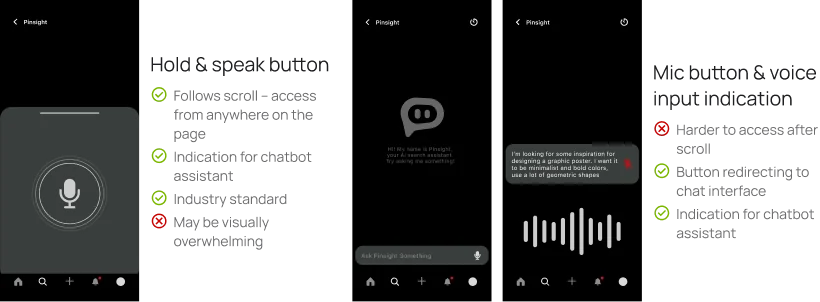
Instead of relying on perfect keywords, users can now speak or type naturally, like “cozy, minimalist bedroom ideas.” This makes search more intuitive by understanding everyday language and reducing friction in the discovery process.
Final designs
AI Image Generation
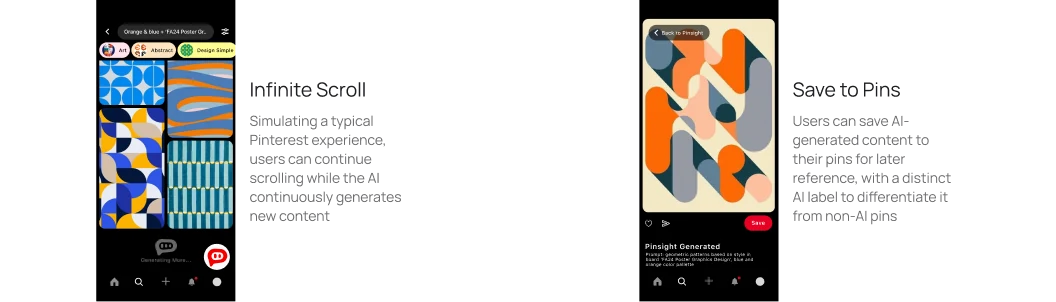
When users still can’t find what they’re looking for, AI image generation fills the gap. They can describe an idea via text or voice, and the AI creates custom visuals. Generated images can be saved directly to boards for a more personalized experience.
Research
User research
User Research
Key user insights:
What are some of your challenges using Pinterest?

I have a hard time translating my design ideas into concrete search terms.

I find it hard finding the exact reference photo I need.

The suggested pins on the home page aren’t too helpful.
Design decisions
Design decisions
Brainstorming & Low-fidelity Explorations
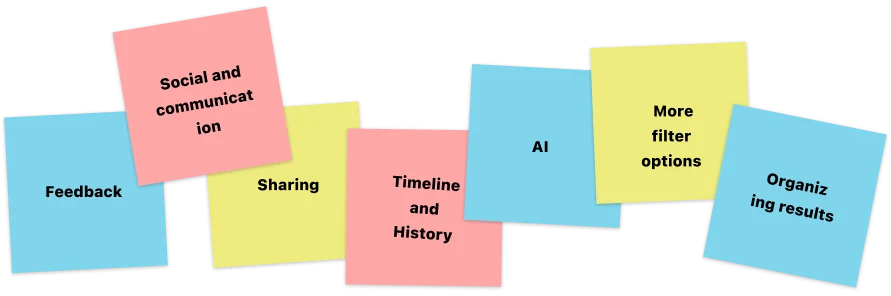
Initial solution fields after brainstorming session:
Low-fidelity sketches of four selected ideas:
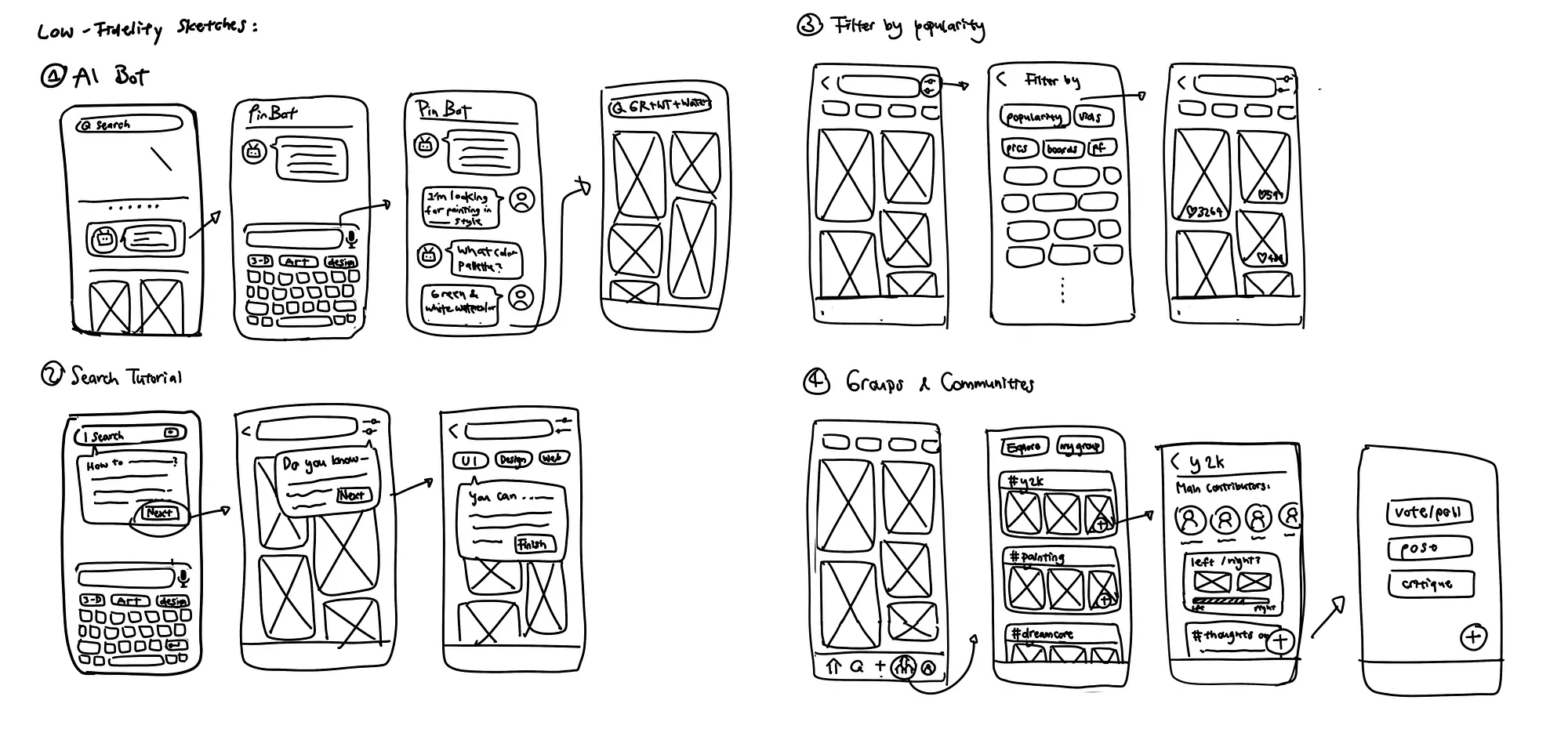
Eventually, I moved forward with the AI bot solution. Here are the details of this solution and the reasons I chose it:
Design decisions
Why AI?
Research insights:
- Smart tools can refine user searches through voice or visual inputs.
- AI can provide real-time feedback and adapt to users’ requirements.
What features would make it easier for you to find ideas?

If search felt more like a real conversation, I think my ideas would come out more easily.

It’d be great if Pinterest could adapt to what I need in real time.
Alignment with user needs:
- AI enhances discovery by integrating input and filtering dynamically, reducing friction and improving the overall experience.
- Visual input and conversational interfaces align with how creatives think and work, offering more flexibility and personalization than traditional search mechanisms.
Design decisions
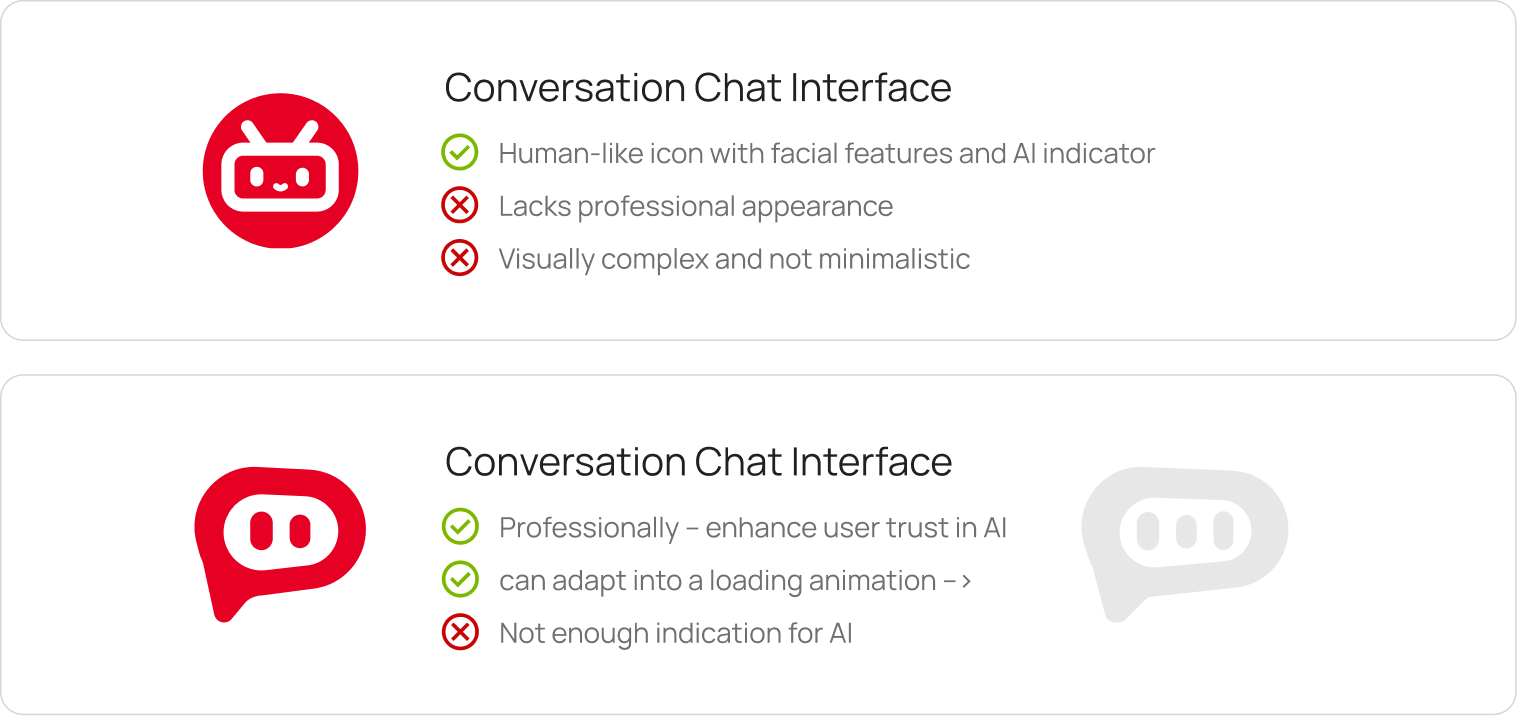
Exploration on Pinsight Logo
Design decisions
Conversation Chat Interface
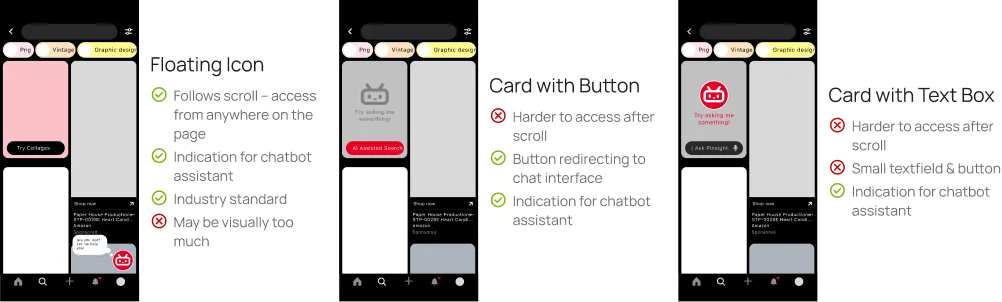
Exploration on entry point:
Key design decisions:
Design decisions
Voice & Natural Language Input
Exploration on input method:
Design decisions
AI Image Generation
Key design decisions:
Reflections
Reflections
Conclusion & Next Steps
This was my first independent UI/UX project, created for the class Intro to Digital Product Design. I’m now a TA for the same course, helping a new generation of designers. As AI chatbots become increasingly common, here are a few next steps I’m excited to explore:
Language Accessibility
Detect and respond in the user’s language, making Pinsight more accessible to non-English speakers.
Responsive Design
Optimize information input and discovery for laptop and tablet users.
Transparency in AI
Explain data use and privacy settings when users share personal information.